

HubSpot Unbound 2026: 7 Major Product Updates

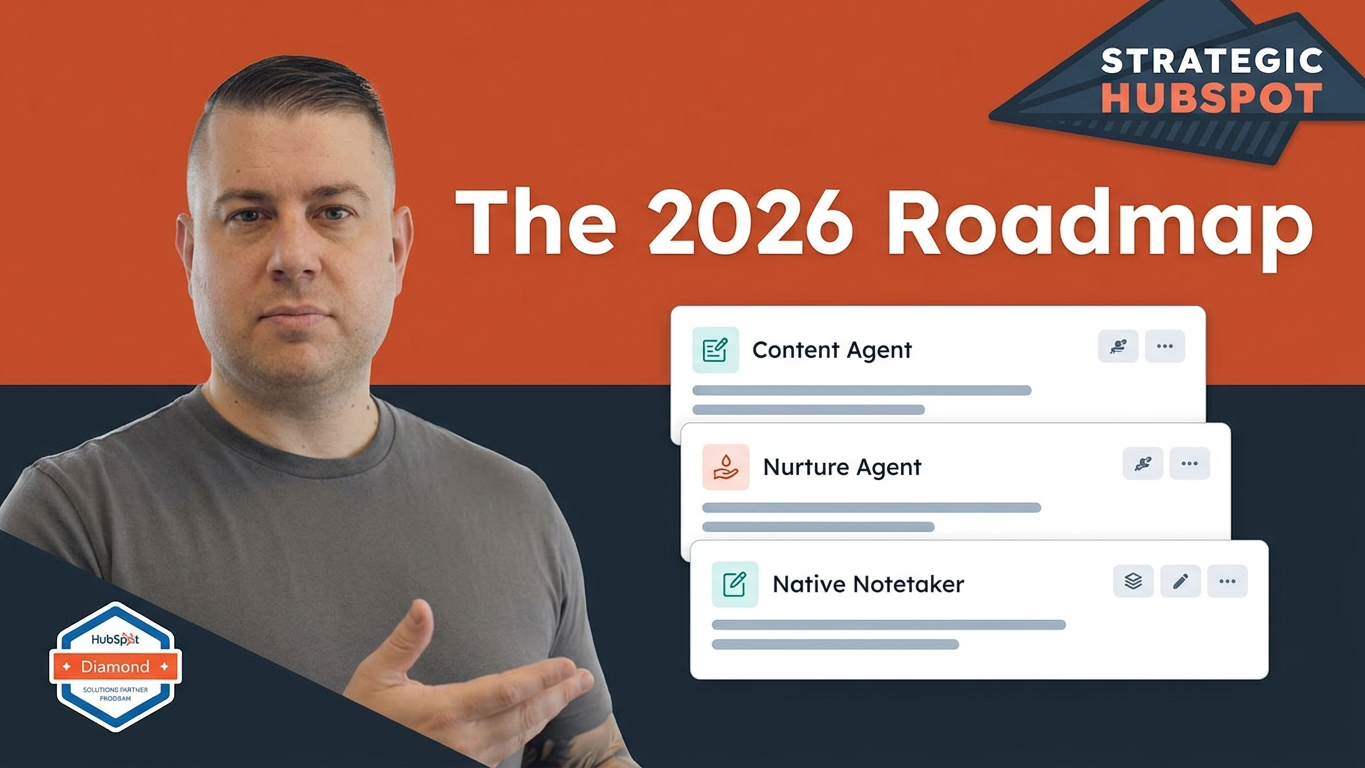
Every year, HubSpot's annual conference gives us a pretty good indication of where the platform is headed. After attending INBOUND (now Unbound) every year since 2016, I've come to look forward to this week as one of the best opportunities to see what's changing, what's improving, and what businesses should pay attention to.
This year's Unbound conference in Boston was no exception.
HubSpot's Fall Spotlight included more than 130 product updates, and while I won't walk through every one, several announcements could meaningfully impact how businesses use HubSpot.
Interestingly, this year wasn't necessarily about introducing a bunch of entirely new products. Instead, much of the focus was on improving existing capabilities, expanding AI functionality, and connecting more of the information already living inside the CRM.
And that's where things get interesting.
In this year's HubSpot Unbound 2026 recap, I want to highlight seven developments that caught my attention, explain why they matter, and share where I think businesses should focus.
1. HubSpot Content Agent: AI That Researches Before It Writes
One announcement that immediately caught my attention was HubSpot's Content Agent.
We've all experimented with AI writing tools by now. You give them a topic, provide a little context, and ask them to generate a blog post, landing page, or social media update.
The problem is that the output is often generic.
It might be grammatically correct, reasonably organized, and technically relevant to the subject. But it doesn't necessarily understand your company's positioning, your audience, your competitive landscape, or what makes your business different.
That's the problem Content Agent is designed to address.
Rather than simply generating content from a prompt, Content Agent researches your brand, audience, and competitive landscape before helping create content.
That means a small marketing team could ask it to develop a blog post targeting a very specific audience, such as HR directors evaluating insurance providers, with the agent using relevant business context to inform the output.
Think about the time savings.
Instead of spending two or three hours getting an initial draft together, your team could potentially get to a much more developed starting point and spend its time reviewing, editing, and adding the human perspective that makes the content valuable.
That's an important distinction.
I'm a big believer in using AI for content ideation, outlines, research assistance, and first drafts. I'm much less enthusiastic about publishing generic AI-generated content just to increase production volume.
Content Agent is interesting because it could make the starting point significantly better.
The goal shouldn't be to publish more content simply because AI makes it easier. It should be to create more relevant, useful content without consuming an unreasonable amount of your team's time.
2. HubSpot Nurture Agent: A Different Approach to Lead Nurturing
The next announcement builds on that same concept, but applies it to marketing automation.
HubSpot's Nurture Agent personalizes nurture emails using CRM data, engagement signals, and live research.
To understand why that's interesting, think about how most traditional lead nurturing works.
You build a workflow around a triggering event. Someone downloads a resource, fills out a form, or takes another qualifying action.
From there, they enter a sequence of emails that might send once a week for six weeks.
You can personalize those emails using contact properties, personalization tokens, smart content, and branching logic based on different characteristics.
That's useful. And when it's configured properly, it can be extremely effective.
But there's still a fundamental limitation: the experience is largely predetermined.
Everyone follows a path that your marketing team designed in advance.
Nurture Agent introduces the possibility of a much more dynamic experience.
Imagine someone downloads a pricing guide but doesn't book a consultation.
Instead of receiving the same generic follow-up emails as everyone else, they could receive messaging informed by their industry, previous engagement, and relevant information about their business.
That's a pretty significant shift.
And it raises an interesting question: Is the future of lead nurturing less about building increasingly complicated workflows and more about maintaining high-quality CRM data, providing AI agents with the right context, and giving them clear instructions?
I think it's worth exploring.
At The Gist, we're actively testing ways to move in this direction ourselves.
That doesn't mean workflows are going away. Plenty of situations still call for traditional automation.
But as AI agents become more capable, businesses should start thinking about how their CRM data can support more intelligent, personalized customer experiences.
3. HubSpot Notetaker: Turning Meeting Conversations Into Business Intelligence
If there's one capability I think businesses should pay particularly close attention to, it's HubSpot's native meeting Notetaker.
I've talked about this in previous videos, but I can't overstate how valuable meeting recordings and transcripts become when they're connected to your CRM.
HubSpot's Notetaker provides a native meeting assistant that records and transcribes conversations, creating a searchable source of information about what's happening across your sales and customer relationships.
This is especially relevant for B2B businesses.
Think about how many meetings your sales representatives, account managers, consultants, and customer service teams participate in every week.
Those conversations exchange an enormous amount of information.
Customer objectives. Objections. Project requirements. Frustrations. Opportunities. Next steps.
Historically, much of that information lived in someone's notes or disappeared entirely after the meeting ended.
Third-party meeting assistants like Gong, Fathom, and Fireflies have helped address that problem. But having this functionality natively within HubSpot creates some interesting opportunities.
Why meeting intelligence matters
At The Gist, we've been recording and transcribing meetings for approximately five years.
It's become an incredibly valuable resource for several reasons.
First, it improves internal communication and handoffs.
If someone wasn't part of a meeting but needs the context, they can review the transcript, watch the recording, or ask questions about what was discussed.
Second, it creates opportunities for automation.
Meeting activity can become the starting point for summaries, notifications, follow-up tasks, and other automated processes.
Third, it gives you a much better understanding of your customer relationships.
Imagine completing a six-month client engagement and asking AI to analyze the conversations throughout that entire project.
What were the major wins? Where did the client experience frustration? What objectives were accomplished? What could have been handled differently?
That's valuable business intelligence.
Finally, it creates a powerful source of marketing and sales content.
Think about all the questions your customers ask, the problems they bring to your team, and the language they use to describe those problems.
What better source of information could you have when developing website FAQs, blog topics, knowledge base articles, and sales enablement materials?
Instead of guessing what your audience wants to know, you can start with actual customer conversations.
The bigger opportunity: CRM intelligence
This is where things get particularly interesting.
When meeting transcripts and engagement history connect to your CRM, AI can help generate company summaries, identify upsell opportunities, surface churn risks, and give sales representatives more useful context.
Imagine a sales representative finishing a discovery call.
Rather than manually documenting everything, updating deal properties, and sending notes to the right people, AI can automatically inform those activities.
That's the kind of administrative work AI should be helping us eliminate.
The goal isn't to remove the human conversation. It's to make sure the information from that conversation doesn't get lost.
4. Deal Progression: Helping Sales Teams Keep Opportunities Moving
Another interesting update is Deal Progression.
One of the most common problems in sales organizations is that opportunities gradually lose momentum.
A prospect has a great initial conversation. The representative sends some information. A follow-up meeting is discussed.
And then nothing happens.
The deal sits in the pipeline for another week. Maybe two.
Eventually, someone notices during a pipeline review that the opportunity has gone quiet.
Deal Progression helps address this by recommending next steps when opportunities need attention.
For example, if a deal hasn't progressed for a week, a sales representative could receive a recommendation for what to do next, rather than letting the opportunity stall silently.
This is another area where the value of the Notetaker becomes apparent.
When HubSpot has more information about what's happening during customer conversations, it has more context to help recommend relevant next actions.
This is particularly valuable for sales managers and growing sales teams that want more consistency in their sales processes.
Instead of relying on representatives to remember every detail and manually manage every opportunity, you can start using CRM intelligence to keep deals moving.
5. Breeze AI and AgentHub: More Ways to Build and Customize AI Agents
HubSpot continues to expand its Breeze AI ecosystem, and several developments are worth watching.
One major theme is the growing ability to customize AI agents and connect them with other tools and environments.
HubSpot is expanding access to Breeze connectors, including integrations that allow Breeze to work in environments such as Gmail and Claude.
There's also an expanding ecosystem of out-of-the-box agents, an agent marketplace, and the ability to create custom agents using an agentic builder.
That last piece is particularly interesting.
Instead of building everything from scratch, businesses can start with existing agents, customize them, or describe what they want an agent to accomplish.
This opens up many possibilities.
You might want an agent to help with prospect research, customer communication, internal reporting, or another repetitive business process.
The important consideration is that an AI agent is only as useful as the context, instructions, and information it receives.
That brings us right back to CRM data quality.
If your customer records are incomplete, your properties aren't structured properly, and you aren't logging important interactions, you're limiting what these agents can accomplish.
The businesses that get the most out of AI won't necessarily be the ones with the most agents.
They'll be the ones that give those agents the right information and clearly define what they're supposed to accomplish.
6. Service Hub: Sequential IVR Routing and Smarter Customer Interactions
One of the more interesting demonstrations I saw during a breakout session involved Service Hub and interactive voice response, commonly called IVR.
For businesses handling a significant volume of customer phone calls, this is worth paying attention to.
Consider a customer calling a service department to update their address.
Traditionally, a service representative would answer the call, verify the customer, navigate to the appropriate CRM record, and manually update the information.
In the demonstration at Unbound, we saw how a customer phone interaction could translate into an immediate update to the relevant CRM properties.
The conversation itself becomes a source of structured customer information.
That's a pretty compelling application of AI and connected customer service technology.
And it illustrates something important: customer interactions don't happen exclusively through email or scheduled meetings.
Businesses also communicate by phone, and those conversations contain valuable information that should be reflected in the CRM.
The more completely HubSpot can capture and connect those interactions, the more useful the platform becomes for service teams.
7. HubSpot and ChatGPT: More Connected AI Experiences
HubSpot also made some interesting moves around its relationship with external AI platforms.
One announcement CJ highlighted was HubSpot's integration with ChatGPT, along with the ability to run ChatGPT ads through HubSpot.
These developments point to a broader trend: businesses will increasingly work across multiple AI environments rather than relying on a single platform for everything.
HubSpot's expanding connectors and integrations fit into that picture.
For businesses, the opportunity is to make sure the tools your teams already use can work alongside your CRM and the information it contains.
The more connected your systems become, the less time your team spends moving information between platforms and manually maintaining records.
The Bigger Takeaway: AI Should Elevate Your People, Not Replace Them
If I had to summarize the biggest theme from HubSpot Unbound 2026, it would be this:
AI should help people spend more time doing the work where they have the greatest impact.
There's a lot of conversation right now about AI replacing jobs, automating entire departments, and eliminating the need for human involvement.
I think businesses should explore a more practical opportunity first.
Consider a sales representative.
They're most valuable when they're working with customers, understanding problems, building relationships, and helping people make decisions.
They're far less valuable when they spend hours manually logging activities, updating CRM properties, documenting meetings, and communicating information internally.
The same is true for customer service representatives, account managers, consultants, and marketing professionals.
The more administrative work we can eliminate, the more time people have to do the things that actually require their experience, judgment, and expertise.
That's the direction I find most exciting.
And it isn't just about the AI tools themselves.
It also requires a strong foundation: organized CRM data, consistent processes, properly configured integrations, and clear instructions for the agents you're putting to work.
Without those things, you're just adding another layer of technology to an already complicated environment.
What Should Your Business Do Next?
You don't need to implement every new HubSpot feature immediately.
In fact, I'd recommend taking a more deliberate approach.
Start by looking at where your team spends the most time on administrative work.
Are sales representatives manually documenting meetings? Are marketing teams spending hours researching and drafting content? Are customer service teams repeatedly entering information from phone conversations?
Those are good places to start evaluating AI opportunities.
Next, take a look at your HubSpot environment.
Are your CRM properties structured properly? Are customer interactions being logged? Do your teams consistently use the tools available to them? Is your data reliable enough to support more advanced automation and AI agents?
These foundational questions matter more than simply turning on another feature.
And finally, start experimenting.
Pick a use case, test it, evaluate the results, and decide whether it genuinely improves how your team operates.
That's how you get meaningful value from HubSpot's expanding AI capabilities.
Need Help Getting More Out of HubSpot?
At The Gist, we're a Certified HubSpot Solutions Partner specializing in HubSpot implementation, CRM optimization, migrations, and ongoing consulting.
We help businesses get their HubSpot environments configured properly, improve adoption, build more effective processes, and identify opportunities to use automation and AI more strategically.
Whether you're implementing HubSpot for the first time, fixing an existing CRM, or figuring out how to take advantage of the latest Breeze AI capabilities, we're happy to help.
Explore our HubSpot solutions: https://www.thegistinbound.com/hubspot-solutions
Subscribe to Growth Insights: https://www.thegistinbound.com/subscribe-to-growth-insights
And for more practical HubSpot tutorials, product updates, and real-world use cases, subscribe to The Gist on YouTube.
The Gist is an organic growth agency and a Certified HubSpot Solutions Partner based in Buffalo, New York.